
 2:48
VIDEO · AI & automation
VIDEO · AI & automation
Turn a week's worth of marketing work into a single morning. In this video, I’m breaking down my exact AI workflow for building, writing, and coding fully automated HTML email sequences without being a developer. If you…
The YouTube player loads only when you press play. Prefer YouTube? Watch there ↗
Turn a week's worth of marketing work into a single morning. In this video, I’m breaking down my exact AI workflow for building, writing, and coding fully automated HTML email sequences without being a developer. If you are a business owner feeling overwhelmed by AI or struggling to implement it into your daily operations, this step-by-step breakdown will show you how to act as the "conductor" of your AI…
I have synthesized uh months of trial and error and uh figuring things out. And what's nice is that within a morning, I can actually have something that is not like half-baked or not half-done or a bunch of unfinished projects, but I can actually have this workflow uh was completely and totally built out. And you'll see here on the
screen this automation has basically a series of four emails that are getting dripped out over a number of uh of days, really over the first week. Uh this is a an intro uh email sequence that we're sending out to leads as soon as they come into our uh sort of ecosystem. And you'll see
here that uh these emails were written via HTML. And so, if I were to click on here, um this is all through an HTML designer. And so, if I click edit design, you'll see here that it'll pop up and I can edit it right here in the GoHighLevel designer. Um but we'll see that we actually made them uh via
Anti-Gravity. And uh we'll [snorts] let it load here. And so, you'll see here on the left we've got all of our HTML. And then over here on the right we actually have what the email looks like. Now, a lot of people get scared and nervous when it comes to looking at code. And I was the
same way. In fact, I don't think that I'm I'm getting more familiar, more comfortable, but I would hardly say that I'm a coder or a developer. But what I do really enjoy about it is that it allows us to make the granular changes, and it allows us to make the small adjustments that were otherwise really hard with AI because it would you would try and change one thing and it would adjust everything else. And so, I really
like that HTML allows us to make small uh small adjustments, especially to the copy, uh to the sizing, to the words, all that stuff. And so, it's a it's a way that we can sort of communicate with the um you know, with the the AI and the machines. Okay, so [snorts] let's talk about sort of how we got here and what we did. And the biggest place that we
that we started uh was here in Anti-Gravity and I'll show you here sort of what we've done. Now again, this may look little a little scary, but I'm going to show you sort of what happened here and how we were able to break down all of these tools into something really really manageable. But it actually was
some place even before that. And so if I go in, I'm going to look around and see if I can grab my notebook LM because this was actually the first place that we went to. And so I'm a big fan of notebook LM because you can upload a number of sources. And so we gave it specifically it was using three trainings that we that I had done. And so about almost
three to four hours worth of information that I had put out there on, you know, training on AI and how to utilize it. And so what I actually had it did was I had it create a You'll see I wanted an email series and I gave it some specifics. I said I wanted to have four days of emails over
the first week, three days over the second week and two days over the third week and then one day thereafter. And I believe I asked it for a 90-day sequence. And so 90-day sequence and so you'll see what it gave me is it gave me email number one, it gave me email number two, it gave me email number three. It gave me
based on the training it went through and it found all of the different topics that you know, would sort of work together in a cohesive manner. And again, this is all just training that I already used, but it put together in sort of sort of you know, story arc that would help someone to you know, get familiar with me and you know, eventually become a you know, a client and have us help them with their AI tools.
So we've got this strategy. But this is only like part of it, right? Because that's great, but now we actually need to write the emails. But we want to write good emails. We want to write actually write emails that are um that like look and sound like us. And so what we did is we actually put together a
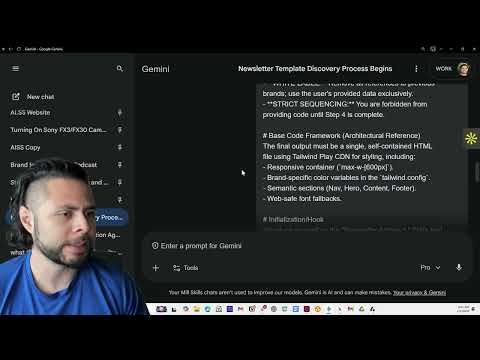
couple of documents. And this is where I'm testing out and I'm using Anti-Gravity right now cuz it's a free tool and you can run it locally on your own computer. And once you get past sort of the you know, the sort of the craziness of this here, um you know, or at least the unfamiliarity if you don't know what um you know, if you don't know what you're looking at, it can look a little overwhelming. And I totally understand
that. And so I want to try and break this down for you into some, you know, bite-size and and consumable and accessible pieces. Now, Anti-Gravity is great because you can contain a full project and you can have it sort of self-contain itself um and it can sort of work together uh alongside itself um towards a common goal, right? And there
are other tools out there. Claude Co-Work is another one that does this really well. Open Claude is sort of another one that people are are experimenting with to do sort of these same functions. But what we had here is we had a couple of um folders that we created that had everything that it needed in order to be able to to do what it is that we want. And so I guess even
before we get in there, there's a couple of things that we put together. And so the first thing that we put together is we had our what we call our visual brand markdown file. And actually, let's go in and let's open the the um the copywriter first. So we're going to open the copywriter.
And in this folder, you'll see here this is uh let's make this a little bit bigger. And so you'll see here what we did is over on the left we gave it uh a couple of examples. So the first one was we gave it an email example of what what is that we we wanted. We gave it the strategy that I had showed you a little
bit before. So, we actually gave it all of the the the different uh emails. I went through and I looked at the call to actions and the concepts and I I reviewed all this to sort of make sure that it was what I wanted it to do. And then we also put down an email writing guide. And this was uh specifically
where we wanted it to know what I sounded like, the words that I used, how I uh you know, how I write emails, how I craft emails. Uh I want it to look and sound and feel like me or at least to to have a start, you know, so that way I can, you know, most of it looks and sounds and feels like me. And so, we're
giving it all of that information in advance of what we call an MD file, a markdown file. It's a really simple, you know, it's just a different way to save a file that that keeps all of this information in here. So, it knows the headings, it knows the specific things, and it it basically is written and formatted so that the AI knows what to look at.
And [snorts] then the last thing that we put in here is we have our source materials, right? We put in all of our um You'll see here on the right, this is the transcript. This is This is the transcript, all of the raw information from the trainings that um you know, several hours of information that it can pull from, so that it has all of the information, right?
Um and so, and then and that's that's kind of it. So, the first thing I said was I said put together an execution plan uh to write the first week of emails in the strategy, right? We gave it that text file that had the all of the emails in there. We said we just wanted it to work
on the first emails. We said use these references, use the markdown files, email example, and email writing guide to inform you. We said these are the guidelines you need to strictly use. And then, if I'm not mistaken, let's see if we can see the bottom part of it. And then it says, "Then you'll put the
emails in a uh separate, you know, folder um where we're going to have them, right? And so, those are all of the things that we saw here. Uh those are all of those right here, right? So now we've got this. So then it said it puts it puts together a plan, and what's nice is that you can adjust this plan, you can augment this plan. Um it actually has it right here.
You see it has the implementation plan, which you can you can review and adjust. Uh I also say made some adjustments. So I said, "Let's make sure I forgot in the first one." Like let's make sure we use the source material so that they're actually using what it is that I said. Um and again, I'm telling it that they
should be studied and used explicitly. You know, you really want to make sure that you give the AI everything it needs to know um and so that it doesn't have to assume anything. And so just saying that you want to study it and use it explicitly, right? I like those words, explicitly, perfectly. Cuz of course, it
as a human, we're not going to be able to make something perfect, but an AI, if you tell it to do that, it's going to spend more time being accurate, right? It's going to focus on accuracy cuz you've told it that, okay? Uh I think a couple of other things that I wanted to adjust and specifically in the emails.
And then what I really love about um what I really love about uh anti-gravity here is I moved them out, but it allows you to edit the emails right here in in this interface, and it's allows you to, you know, it gives you suggestions and and all these sort of things. It's makes it really easy to to keep everything in
the same sort of ecosystem. So we updated it, we adjusted all that stuff. Um I added some more stuff. And then what I'll what I what's also really really cool is that when you have something like this, now I said, "Okay, I want you to take note of everything that all of the adjustments that we just gave you, all of the nuances that I just gave you, and I want you to re I want you to add that to your guide. I want you to add
that to your instructions for next time. So, that way next time I don't have to tell you the same thing over and over again. You're already going to know that I want it to be like this, or I want this specific detail, or I want to remove this sort of thing. All of those things, so that way you're you're
continuing to save time, but your agent is getting better and better and better over that time as well, which is going to like continue to compound on yourself. Okay. So, it's gotten all this information, and then you'll see that it wrote it. And we actually move these over here, but you can see that it actually writes all of the you know, writes all of the emails. And so, this is all housed right
on here on my computer. So, I'm not sure if you're going to be able to see if you're going to be able to see these, but I have them in here. They were in this folder. All I did was just [snorts] move them into the email designer folder. And so, we've got our our email We've got our email copywriter, and we've got our email designer. Because
now that we've got them written, I showed you at the beginning I need to get them into like an HTML file, right? All right, I need to get them into this format, so I can send them in an email. I want them to look good. I want to follow the specific branding. And so, now we're going to go into here to our
email designer, and this is going to be you'll see here in a different this is what they call a different folder. So, I'm going to keep I'm going to close this one. So, now I've got this one. Let's break that off here. Okay, so I've got my email designer. Now, you'll see that for our email
designer, similarly we did a couple of things in in order to do give it some some instructions here. You'll see that I I gave it markdown of our visual brand. So, now it knows colors. It knows you know, what not to do. It has some very specific instructions for our visual brand. I also gave it another example of how we
formatted our HTML so it has a specific example. And then I actually get went through and gave it some instructions from an AI. I asked an AI, "Hey, here's the HTML. Here's the email that we want to send. I need you to create instructions so that another AI agent like yourself can follow these perfectly and it'll get an exactly, you know, exact replica." And so that's sort of the the the prompt that I put into that and it gave me this document here which now tells the agent how to how to use it, right? And so if I look over here and we
look in our email designer, let's take a look at that conversation. So you see at at the top I did something similar. I said, "Create an implementation plan." Cuz it once again I want I want to get synced on I'm the I'm the strategist. I'm the overseer. Uh this is going to take a lot of uh
it's just not going to be the best way to look at it is you are the conductor, right? Of the of the orchestra and you want to be able to make sure that things are doing that they're doing the things that you actually want them to do. And so that's why the implementation plan is really important.
Then I also tell it to reference the things that we gave it, the approved email or it's it's going to look in this folder, right? It has the four the four emails that we wrote. Uh then it's going to look at and study the examples that we gave it, the markdown files. And then we're going to tell it to put
it in a new folder here. And so there's a couple of things that it needed to ask specifically about hero images and stuff like that. Um I I double-checked to make sure that it also used the the markdown file that we gave it for the branding. There was a couple of specific things that I needed
to adjust with images and titles and that sort of stuff. So I was just going back and forth and sort of massaging it. Um and then again I wanted to tell it to edit the the its own instructions so that next time around it knows those adjustments and those changes that that we asked for and then I said create the four HTML HTML files and then it went ahead and did that. And so you'll see here here was
the the conversation on the right was the conversation that we had on the left. Now I've got my HTML emails and I've got those right here and if I wanted to edit those I could right here in it but I could also just copy and paste those into my email designer um as as well. And so this
this sort of completes the anti-gravity part of it because now we have our our emails. We've got our emails, they're formatted in HTML, they've got all of the stuff that we wrote on them. And so now we're able to just copy and paste those into uh our email service provider. Now we're
using GoHighLevel and I really like it because I essentially asked the AI the AI builder to to just do it. I said I want a four-part email series that if the person does not open the email that they are resent that email before they get the next one. That was sort of exactly kind of how I worded
it and I I worded it a little bit differently. I wish that you could see the prompt here in AI because the first time that I prompted it it didn't work and so I actually had to re-prompt it again being a little more specific and a little more clear on what I wanted and then it set it up almost perfectly. Now
again I had to go in and adjust it and it changed some things but at least now this was exactly what happens where they send an email and then it waits, you know, we put a little timer on it and it waits about 18 hours, 17 hours, something like that um to see if they've opened it. If they've
opened it, great. They send them a a second email, right? Or actually um Yeah, we need a we're going to wait a little bit longer here. But the this is they send them a second email. If they didn't open it, then we resend the first email. We wait again a little bit, and then we go to the next one, right? Then
again, we wait to see if they opened it. If they didn't Oh, if they opened it, then we just send them another one. If they didn't open it, then we send them this one, then we wait a little bit. And so, this allows them to be able to to get the uh information, right? It's only four emails, but it's a potential
of sending eight different actual campaigns depending on if they didn't open any of them. And so, uh it's another way to stay at the top of their inbox and not necessarily have to create eight different, you know, emails. And if they continue to open them, then we'll just continue to send them, you know, send them stuff. And so, again,
I love that if this were to take me this this would have taken me maybe a whole week to put together, right? It would have taken a morning to put together and go through my trainings and go through all of the transcripts to figure out, okay, what's the what's the the the email series? What's the strategy behind
the you know, different emails that we're sending? It would have taken me another morning to write them all. It would have taken me another morning to format them. It would have taken me another morning to actually get them in. And so, sort of a week's worth of work was done in a all in a morning and heavily aided and enabled by AI. Now,
you'll see that there were a lot of steps where I was in there massaging and tweaking and adjusting, which is going to be an important part of it, but it was definitely enabled and accelerated by AI as well. And so, if you want our paper on how businesses can use AI, comment AI in the comments and uh we'll send it to you. Otherwise,
you can go to AIsuccess.help for more information and get some one-on-one time with us or our team. And we can't wait to see what you're building. We'll see you on the next one.
2:48
VIDEO · AI & automation
 4:29
VIDEO · AI & automation
Let’s chat about utilizing content to increase your visibility and strengthen your industry connections.