
 1:12
VIDEO · AI & automation
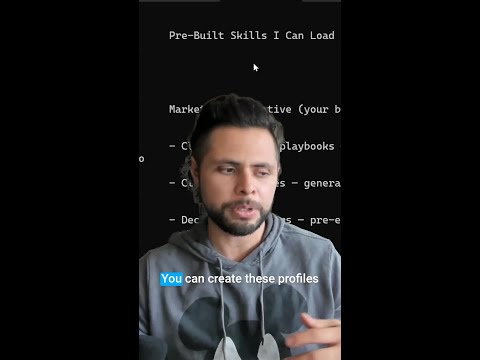
AI can do more than just write emails
AI has evolved so it can be more than just a helpful email writer. And it can do more than even create images or PDFs. It's really only limited by your own imagination.
VIDEO · Notion & AI systems
How to turn every client meeting into action items automatically using AI meeting notes and Notion automation — no more manual note-taking or lost decisions. If you've ever left a client meeting or Zoom call and…
The YouTube player loads only when you press play. Prefer YouTube? Watch there ↗
How to turn every client meeting into action items automatically using AI meeting notes and Notion automation — no more manual note-taking or lost decisions. If you've ever left a client meeting or Zoom call and immediately forgotten half of what was decided — this one's for you. In this video I show the exact AI + Notion system we use at Amplafy Media to turn every meeting into assigned action items, updated…
Hey, if you've ever struggled to keep track of everything that happens with your client meetings or on your Zoom calls, I want you to watch this video because that has been one of the biggest challenges that I've had as a sort of neurodivergent crazy sort of person that I am is I have lots of great ideas on the call, but it has always been a challenge for me to remember what was said on the call and then, you know, to be able to take detailed notes. And I used to try and
take a lot of detailed notes along the way. The problem was is that it prevented me from being present in the meeting and so a lot of times I would just sort of hope that I would remember or I'd take little notes, but the problem is is that it doesn't really do it justice and if we're being real or if we're being honest, um, a lot of times these key decisions and it's the details that really matter and I think that what AI has really made easy over the last little bit is taking all of that information that has been discussed on a call, even the details, even the minor details, even the things that are just brought up once or twice really quickly and being able to take note of that.
Then not only being able to take note of it cuz it's great if you get a summary, right? I think one of the cool things that I used to have is or, you know, we used to rely on is Google Meets. We would record it there and then after it would um, record it and then it would give us a little summary and then give us a nice little checklist of the things that needed to be done. Now, that was great
because it gave us a visual summary, but it didn't actually get all the way into our production, you know, system. It didn't get into our flow. It wasn't really saved anywhere. And so since then we've sort of been on a mission to try and figure out how do we keep track of all of this stuff? You know, we've got a
lot of different podcasts going on that are producing a lot of different episodes, there are a lot of different things going on and a lot of sometimes different changes that are being made and so what we found is that putting and doing in this process allows us to keep track of all those details, to look back on it and then to be able to make better decisions looking forward. And so I just
want to show you here on the screen. You'll see how easy it can be. So, this is essentially what I typed in this morning after I had a client call. I said, "Run this this playbook." is what we call it, and I'll show you what that looks like, on this meeting. And you'll see here, here's what it did. It went in
and it created in our in our system in our our database and our notion, you know, in our to-do list. I created all the actions, it assigned whoever needs to be assigned to it. It updated a lot of our current like files and our current pages. There are things in there that it saw that needed
updating, and so it went in and updated those individual episodes and individual assets. Um and you'll see here that it it does a lot of, you know, granular things. And so, this used to take me a whole hour sometimes to be able to go through, parse through, even if I recorded the transcript, I used to have to review it manually and go, "Oh, yeah, that's what would happen." But there were a lot of times, even just looking at a transcript, where things fall through the cracks. And of course, you could go
through and you could rewatch the video, and you could have someone do it, um you know, manually. Sure a lot of people did that to be as detailed and as accountable as they can be to, you know, some of these decisions that are made. And now that's done in a matter of instance, right? I get the
today we did this on Zoom, so it's, you know, a couple of steps cuz it's not in my Google system. Usually, if it's in the Google system, I already have all the stuff. Um but I took the Zoom, I threw it into uh you'll see here we have our our meeting. And so, I uploaded our call into the system here.
It saves it here, so I can go back and replay it. I can also look at the summary, the transcript, any of those things I can go in and and see. Um And so, then you'll see that it here it created all these action items, and this is sort of what it did, um sort of automatically. Now, this didn't happen
overnight, right? It definitely did not happen overnight. What I'll I'll show you is that we put together these instructions. And what I really love about Notion is that allows us to create these instructions. Uh we call them playbooks here, but we create these instead of instructions that the AI can do. And so simply by tagging this page,
I just put an at and then, you know, type in this page, it's going to call on these instructions. And they're pretty detailed. You'll see that, you know, obviously we did these alongside and with an AI to really help um it understand what it is that we wanted. But it's it's very detailed. And so
you'll see that it here it goes through and it looks for things like commitments. You know, then it goes back and it checks and researches our internal records to be able to, you know, basically triangulate, figure out what's what's correct. And And you see here that it like says resolve and
locate and all those things. And so it's not just making guesses about what happened on the call. It's actually going back and looking at previous emails, previous meetings, previous transcripts, and it's piecing all these things together so that everything is as accurate as it can. You'll see that we
have it create actions, assign actions, update our records. Um you know, it'll start to make recommendations if it sees things that like, "Hey, here's some themes that are coming up between these meetings or some things that might help with the workflow." Uh it'll make those recommendations as well. And then it's
got some, you know, some things specifically for the AI there. But this, again, you can you can have a meeting, gather everything, and then basically give it into your business, right? So that way the the business ingests it. And now everybody who is working in our our workspace, they all have this information. They all have it and they
can go and research it. And I'll share with you, you know, we ask it a lot of sort of interesting questions. Um you know, like you'll see here that one of the things that I asked it was like, you know, one of our clients sent us music and I was like, "Can you go into our email and find it?" And it took me a couple of of places, but, you know, the AI ended up finding it because it knew where to look and it had sort of context and such. So, hopefully that gives you
some insights on on what you can be doing to better leverage AI because everyone's having meetings, everyone is is is making decisions and I think that the most important thing that comes from those meetings is that something actually happens from the decision and if if if nothing actually comes from it and nothing results from it and the only time it's ever mentioned or the only time it's ever remembered is right there on that call, uh then it's sort of pointless, meaningless. And I think that
this will allow you to, especially as leaders, to be able to be more present on the calls, uh be more detailed, accountable, and then also more helpful in the follow-up because now you can provide all of this information and data to your team as well. So, if you have any questions on how any of this works,
let me know. You want to see what this looks like for your own business, feel free to reach out to me and uh make sure you're following along. So, see you on the next one.
1:12
VIDEO · AI & automation
AI has evolved so it can be more than just a helpful email writer. And it can do more than even create images or PDFs. It's really only limited by your own imagination.
 17:27
VIDEO · AI & automation
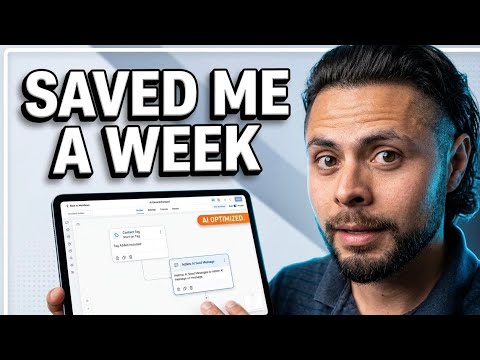
Turn a week's worth of marketing work into a single morning. In this video, I’m breaking down my exact AI workflow for building, writing, and coding fully automated HTML email sequences without being a developer. If you…
Let’s chat about utilizing content to increase your visibility and strengthen your industry connections.