Hey y'all, if you have a podcast, run a podcast company, or you are thinking about creating one, I want you to watch this video. Now, if you don't know who I am, my name is Hector Santiesteban, and I've spent much of the last decade trying to figure out how to help companies and businesses to better leverage podcasts and content to gain more visibility and more awareness within their industry and in the marketplace. And so, what we're going to
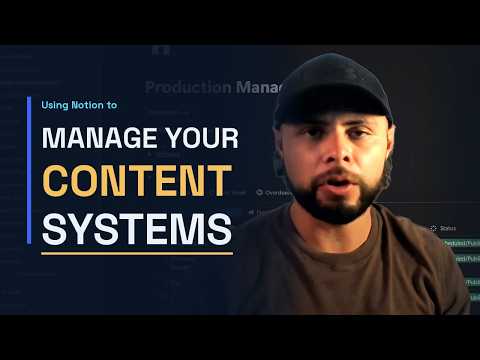
talk about today is how we essentially run all of our entire project management and all of our entire production management uh right here in Notion. So, Notion is a great tool, and it's a lot of things to a lot of different people. It did start out as sort of a note-taking app, but it's evolved into much more than that, and we're going to show you how we've leveraged a lot of the different features and capabilities in Notion to uh create a podcast. And
again, this is helpful for creating a podcast, but it also can be leveraged, the same sort of system can be used to put out a blog or to create your YouTube videos or to create any sort of content management system. It is a great tool for that, but a lot of the features that it's developed over time have made it even better for that. And so, um you'll
see here that this is sort of where we run all of our production out of here, and we have this production system wiki. And what's great is that this is actually something that was built by and written by Notion AI, but you'll see it has here really all the things that we do, right? Um
And we also have this other one here, which I think might be a little bit better and a little bit more current. To go in here, find production. So, you see here we also have this operations knowledge base, and this is something that really this is the most recent one that we've been developing here. And this one has a lot of
different um things in here it in terms of how and what we do and why we do things, and what's great about this is that this serves a couple of purposes. The first thing is that you can actually just now give this to a new hire, a new person, and they can go through this, and they can I have all their questions answered.
The other great thing is that you can now ask your AI all of the same questions that you would have about how the organization is ran, how the production goes, what it you know, what the organizational decision-making goes like and the reasons for it and all of that can be stored here in Notion and what's great is that you can access it.
So, I can click over here and I've got this little you know, I call mine I have a little nickname for him. But then you have this little AI tool right here and it can go out and act like any other AI tool and be able to you know, create things and write things all that sort of stuff. But it also has this context
that's I can just reference things by adding something and I can just do operations. You know, I can just reference this page here and that's going to add it as context. And it's just like if I were to upload this document into my chat. It's really the same thing and I can do that with with
lots of pages. I don't know that there is a limit to how many context pages that you can add in here. Um you can nest things, but it's going to read this because what's great is that when it reads this, it's also going to read all of these other things as well. So, nested within these pages are other
pages and more context. And so, when the AI reads this, it's also going to read all these other things. And so, this is like uploading this 1 2 3 4 5 6 pages all into here. There might even maybe more, but the point is is that you are giving all of this context to the Notion AI and then you're able to ask questions of the AI that actually has the knowledge and information for your organization. And the cool thing is is
that we didn't write any of this stuff. Uh we've gone through it and we've adjusted it and we've edited, but in terms of putting this together, what we really did is we just asked the Notion AI to go through all of our past processes and put it together. Now, we had the benefit of doing our operations
and running all of our operations for several years here in Notion and so, it had a large database of context to be able to put this together, but it's likely that you have that somewhere whether it's in Google Docs or whether it's in Teams or something like that. But you're it's likely that you're going
to be able to easily export all of that data and then be able to put that into something like this so that you're able to use it. Now, again, this is just the beginning. So, let's talk about how we got here and and you know, on a uh practical level how we're breaking this up. Now, I have to
say when we first started we tried to make it as simple as possible because one thing about Notion is it's like a lot of other tools where you have these databases and you have these, you know, folders or you have these, you know, this way to group things. And ideally for a human, you want to keep it as
simple as possible. So, you want to have as few things as possible. What I really love about Notion, which we'll probably talk about in another video, is how to leverage the AI to go in and make all these updates. So, you'll notice that there are a lot of properties. We have a lot of things that are going on in
Notion, but we're not really entering a lot of it. We're not really doing a lot of the manual updating that you might need to do in a typical project management system. And that's another reason that I love this is that the AI is built so natively into the product and the AI knows how to utilize the product so well that it really is not like having your ChatGPT or your Bard, you know, go into your Monday or go into a different project management system and try and work in there. It really is
natively integrated into it and so I think that that just has an added benefit and an extra just layer to how efficient and how easy it really is because there was a while where, you know, a lot of our work was going in and updating these things. But now our work can be done outside of it. We can come
in here and in common language, right? In in a voice memo, I can just say, "Hey, here's what was done. We did this and we did this and we did this and this got updated and this needs to happen and we need to create this and we need to, you know, remind per- per so-and-so that they need to do this." And all that can be done in a voice memo given into my, you know, AI here right in Notion. They
have a mobile app. You know, if I'm being honest, one of my biggest frustrations with these tools in the past was going in and manually updating these things and this has really saved a lot of that time as well. So, for us as a podcast production company, it made sense for us to have sort of a top-down layering of what goes on it. Maybe it's based on use case or
function, right? You're going to know how to best systematize and organize the different things that are going on. And you know, we broke it up into a variety of things. So, the first here is that we have our database of shows. And so, all of our shows in here, all the shows that
we've ever worked with, you know, all you know, we keep them in here with a variety of different information. And so, let's go ahead and let's hop in and see which one, you know, going to go in and and look under the hood here. But, you'll see here for our podcast, we've got a lot of different things.
Obviously, we have our status, what days it's going out, who the host is, that's me in this case. And then we also have everything that we're creating for this particular show. So, we have the promo page, the podcast, short, social media spreadsheet, you know, all these things. And and this can be, you know, this is a
a drop down for this. And this now tells the rest of our production flow what it is that we need to create. This tells the system what actions and what tasks needs to be created, right? All of these guidelines, you know, if there's any specifications, everything's in here. And then we have all of our stuff, you
know, sort of laid out in there. And so, this is one area that we utilize this as our shows. In these pages, you'll see here that we have things like the description, the target audience, their links, their Spotify. And so, again, what we're doing is we are giving the AI as much context as necessary so that it can answer these questions, it can do the things that we need to do. If I say,
"Hey, go search our YouTube for which videos are doing the best?" I'll go find out which episodes are performing the best. Well, now it has the YouTube link. It saves it a couple of steps of having to search. Obviously, can it search the internet? Can it find it on there? Yeah, for sure. But, now it knows it can grab
it right there. It's going to save it some tokens. It's going to be a little more efficient. It's going to be a little less expensive to run that operation. And you know, again, now it knows and where everything is and has all that information. For the target audience, when we're writing our promotion or we're writing our social media posts, which we'll show you what we do in in a little bit, this helps to inform who those posts are writing for. Right? All
of this stuff helps to add the context again. So, that way you are not constantly refeeding all of this information over and over and over again to your AI. You can really just help to you really just leverage the tools and it has all that information already in there for you. Now, you also see that
one of the key important things in here is obviously if we have a podcast, you know, what episodes are coming up. And so within that you'll notice that we have all of our episodes in here. Um you know, let's go in here. We have the ones that we're only doing audio, ones that are audio and video. And so we were able
to break it down and create a variety of different views in here. We're able to see what YouTube videos are attached in there. Which ones are coming up. And all of these have the relevant information that are necessary. Now, what's also great is that these all get attached to you some actions and some tasks and people who are assigned to those.
Within each of those we have transcripts. And so what's great about Notion is that we are able to feed all of the transcripts into Notion. We're able to attach it to the episode. And so when we're writing things like show notes or promotions, all of those things can be based in the actual transcript and based in what the episode was actually about. It doesn't have to
guess. We don't have to upload anything. We create those we create the transcript page one time and then it has it and then it's attached to that episode. And so you'll see here that our show notes and everything is downstream from all of that. And we don't have to worry about any extra uploading or any extra tagging. All of that is saved in there.
We can even go back and reference it later as well. Ton of stuff here, but I wanted to give you just an overview. If you have any questions on that, let me know. But we'll see you on the next one.

 1:14