
 4:24
VIDEO · AI & automation
VIDEO · AI & automation
The YouTube player loads only when you press play. Prefer YouTube? Watch there ↗
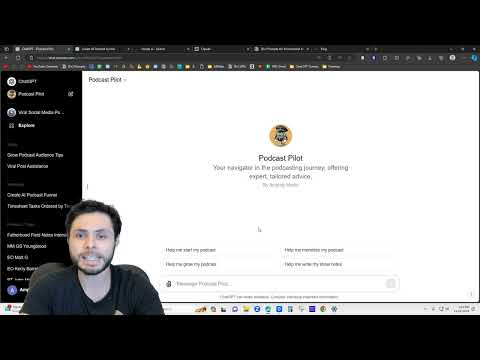
hey guys in this video we're going to talk about some different ways that you can utilize and leverage Ai and I'm going to start with let's call it the premium version and then we're going to work backwards now I do want to preface this by saying that there are some great tools and software that is specific to podcasting we'll link some of those here now that is not necessarily what we're talking about today there is what we're talking about is if generate Ai and a lot of the tools that you've heard about in the news and a lot of the things that are available to most people and and are going to be not only great for podcasting but really good for you to just be able to leverage in general so the first thing that I'll show you is what's called podcast pilot and this is a chat GPT agent now you've heard a lot about chat GPT and you've heard a lot in the news you know even just this weekend as I'm recording this course there's
some big headlines with chat GPT and with open AI it could be a number of things that are going on with it but they're the most popular now this agent is essentially like an app they have allowed people to build these quote unquote agents into chat gbt the same way that Apple and Google allowed people to build apps into the Apple and Android App Store these agents they have specific knowledge they have specific functions and they work to create a specific sort of outcome so podcast pilot specifically is built to help someone launch a podcast it has all of the processes that are necessary in order to walk through somebody you know help someone walk through starting a podcast in the same way that I would walk someone through the process of starting their own podcast you know and have that conversation you can have it with the computer it's much less expensive it also can help you to grow your podcast it's got different ways and
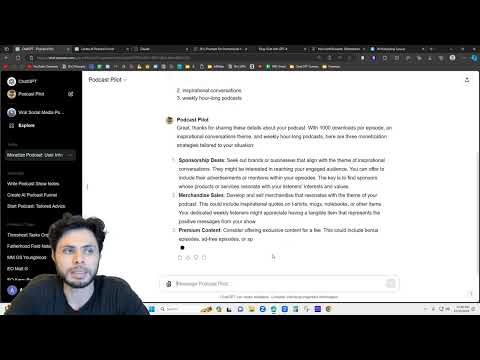
different methods that it can recommend based on where your show is at based on on your audience your Niche it takes all those things into consideration and then it's able to help provide a real recommendation for you it also helps with a lot of the publishing and the promotion of it so one of the biggest time sucks for a lot of podcasters is writing show notes creating social media content for their show and this essentially gives you the power of a extremely skilled copywriter and an extremely skilled graphic designer and more and we'll talk about some other ways that it might be able to help you out with video and and other other such things what's nice is that you can do all of that right here in podcast pilot if you want to use chat GPT uh you can do it there podcast pilot has some of these things specifically built into it the unfortunate side of that is that right now as of this recording podcast
pilot and other agents require a premium chat GPT subscription so that is the the downside with that being said we've created or I've found a lot of workarounds for some free versions so the first thing that I want to uh show is Microsoft Bing so if you go to bing.com and you search up here in chat what's nice about it is that you can ask this chat up here essentially anything that that you want so what we can do is we can actually take we've got this conversation here what we can do is we can actually take this prompt now you guys will have access to all of these prompts but we can just paste that in here and this is connected to chat GPT and so in the same way that the conversation would happen in chat GPT we can do this right here in Microsoft Bing on bing.com so it's going to ask me some questions I can tell it more about it I can say you know I want to start a podcast about men's mental
health uh and so on and so forth so this is one way that you can engage with the chat GPT the same almost the same thing right here on bing.com another thing that you can do is if you use you'll see here I'm in Microsoft Edge and so this is uh Microsoft Edge it's it's Microsoft browser what's nice about Microsoft browser is that it's built what's called a co-pilot right into uh it's built a co-pilot right into it and so this can actually scan pages so if I go to let me just go to Google news I don't even know if they have Google News still but if I go into here you'll see it gives me all these things that it can actually do based on these pages so H all these nonsense kinds of things um but maybe I can just say search this page for stories that Millennial men would be interested in because that's who is my podcasts for right so maybe I can do that it says based on the curent web page it's able to look through some of
these things so it can actually scan this page and it should be able to give me some links Microsoft acquires Activision and blizzard that's kind of interesting yeah it's kind of a gaming sort of thing but I can ask it back so I can say can you search for other stories and references about the recent blizzard announcement so once again not not going to be perfect but you can use this for research purposes right the last one that I want to show you is I want to show you Claude and Claude is another free option here and what's great about Claude is that it's free and what you can also do is you can upload your transcript to Claud and so here's an episode that we did for a show that we produce so let's over go over here and let's grab our show notes prompt I'm going to copy this here and once again we'll walk through some of these specifics on how to do it I just want to show you some different ways that we're
using this and why we're going to use certain um certain tools right so create show notes for a podcast episode and then I'm going to say based on the uploaded transcript right you know you kind of have to massage it a little bit so that it knows and it might assume but you know we can do that so we're going to upload it we've got our transcript in there and it's going to ideally give us back these different things that we can do it's going to give us their titles it's going to give us an episode summary a little bit about the guest and a post so here's our title options right um and that's who the episode is with Carrie Barrett right kind of I grabbed it maybe from the transcript name maybe from the transcript who knows but all this stuff is great here's our summary guest bios links all that sort of stuff um and it says that the links may or may not be correct so make sure that you check it
but I've got my show notes ready to go I've got my episode title my show notes my promotional post ready to go in a matter of minutes so this to is also an option as well and so the last thing that I want to talk about is the Bing image Creator and I could have mentioned it here but if I go into it's easy to find right here in Microsoft Edge but if I got this I can create an image based on anything I want so let me hop in and let's go back and I'm going to just say this uh create a podcast episode art for a an episode titled okay it's going to come back with a variety of things we're going to spend a whole lesson uh going through how to leverage this as well as some other you know cool generative AI things but you can see here it came back with a few things and now I can use this as a as a podcast you know episode art and I can go in and I can detail it and I can further you know improve it
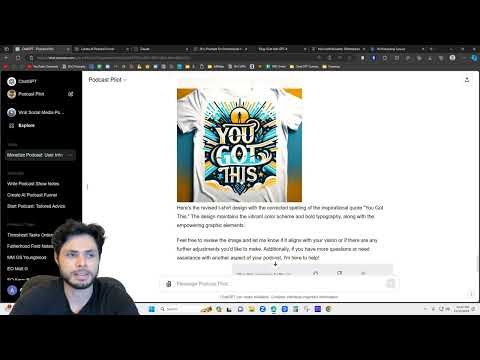
but being in the image Creator similarly podcast uh pilot allows you to do this so I can say you know we can go in here and similarly we can say that and it'll be able to create an image right here in podcast pilot so you'll see here that you know it can create an image based on you know the the title if we want to use podcast pilot we can also upload the transcript so let's so come back to that lesson but I just want to show you some of the different modalities and the ways we might be able to use it so you can see here it came back with a pretty cool but different totally different image uh of what it thought would be a good episode art so in the next video we're going to just talk about some core functions because at this point your mind might be like really racing at oh my goodness all the possibilities all the potentials what do I do how do I do it the next video we're really going to simplify it
and make it easy for you to understand how and where you're going to be able to use uh and leverage AI so come back for that one
4:24
VIDEO · AI & automation
 2:36
VIDEO · Podcast strategy
Let’s chat about utilizing content to increase your visibility and strengthen your industry connections.